How to Check Whether a Laptop Has a Replaceable Battery Before You Buy
Learn how to verify battery access, official service procedures, replacement-part availability, and warranty terms for an exact laptop SKU.
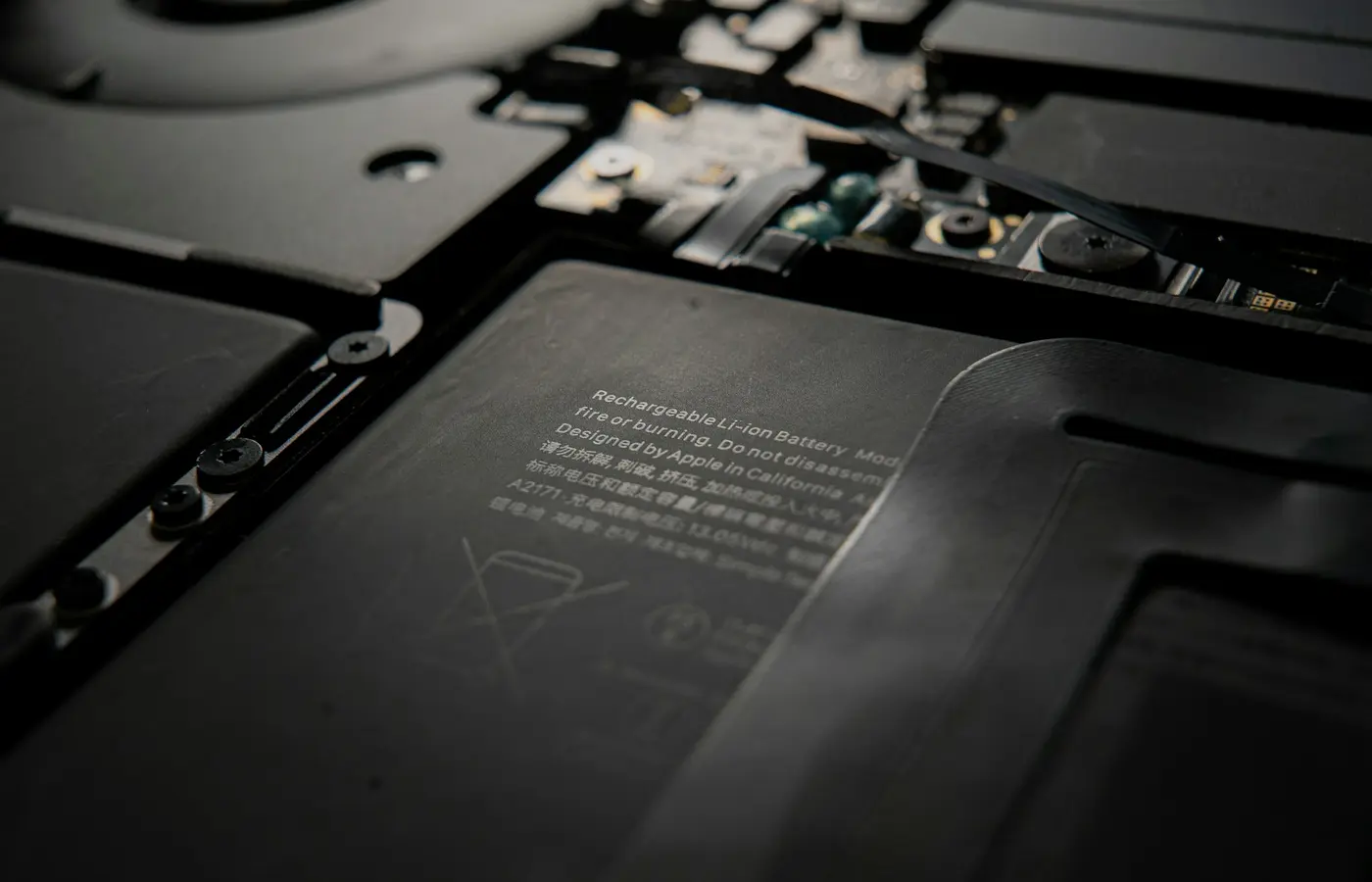
The safest answer is not in the retailer’s “removable battery” field. Before buying, identify the laptop’s complete manufacturer part number or regional SKU, find its official service documentation, confirm that a compatible battery assembly is obtainable, and read the applicable warranty terms.
Classify the result using one of these four practical outcomes:
- Externally removable: The battery comes out without opening the main chassis.
- Internally replaceable: The official documentation provides a reasonable removal procedure after the bottom cover is removed.
- Professional-service replacement: The battery can be replaced, but the manufacturer directs the work to technicians, or the procedure, safety requirements, parts policy, or construction makes professional service the sensible route.
- Unknown: The model identity, procedure, compatible part, or service policy cannot be verified well enough before purchase.
These labels are a decision framework for this guide, not an industry-wide classification system. Manufacturers may use terms such as integrated, embedded, customer-replaceable, field-replaceable, or technician-replaceable differently.
Start with the exact laptop configuration
Battery design is model-specific. A family name such as “Laptop 14” or “ProBook” is not enough because the same commercial name may cover several generations, chassis revisions, regions, and configurations.
Record all the identifying information available on the product page:
- Complete model name and generation
- Manufacturer part number, product number, machine type, or regional SKU
- Screen size and chassis variant
- CPU and GPU configuration
- Seller’s stated region
- Any service tag or serial number, particularly for an individual used or refurbished machine
The manufacturer part number is usually more useful than the retailer’s shortened title. Search that identifier on the manufacturer’s product and support sites. Confirm that the resulting page describes the same processor, display size, graphics configuration, and region as the seller’s listing.
Treat the seller’s data as provisional until those details agree. Similar-looking laptops may use different bottom covers, batteries, connectors, or internal layouts.
If the seller cannot provide an identifier that resolves to a matching manufacturer record, ask for a photograph of the product label or written clarification. If the conflict remains unresolved, classify battery replaceability as unknown rather than borrowing information from a similar model.
For a used laptop, a serial-number or service-tag lookup may be especially valuable because it can identify the machine as originally configured. It still may not reveal repairs or component substitutions made later.
Read the official service manual—not just the specification sheet
Look on the manufacturer’s support site for a document named something like:
- Service manual
- Maintenance and service guide
- Hardware maintenance manual
- Repair manual
- Removal and replacement procedures
- Disassembly instructions
Confirm that the document explicitly covers the exact model or model range under consideration. Check its publication date and revision because manufacturers can update instructions or expand the list of covered variants.
Search the document for “battery,” “bottom cover,” “base enclosure,” and “safety.” A useful battery section should show the removal sequence and identify any prerequisite work.
What the procedure should tell you
Check for the following details:
- Whether the battery is external or behind the bottom cover
- Which tools are required
- Whether fasteners are captive, removable, or hidden
- Whether clips or adhesive secure the cover or battery
- How the battery cable is disconnected
- Whether other components must be removed first
- Whether the battery is a customer-replaceable or technician-replaceable part
- Whether the procedure requires a firmware, diagnostic, or calibration step
- What safety warnings and handling restrictions apply
A diagram showing that the battery can be unplugged does not automatically make it user-replaceable. The official service classification and the complete procedure matter. A repair may be physically possible while still being unsuitable for an untrained owner because of adhesive, delicate connectors, obstructing components, or manufacturer service restrictions.
Bottom-cover screws alone reveal little about repair difficulty. Covers may also use tight clips, concealed fasteners, bonded sections, or cable routing that is not visible from an exterior photograph.
If no public manual exists, ask whether the manufacturer offers an authorized battery-replacement service. That may be an acceptable outcome if service is available in your region at terms you consider reasonable. It is not equivalent to a documented do-it-yourself repair path.
Confirm that a replacement battery can actually be sourced
Physical removal is only half of the decision. A replaceable battery has limited practical value if the correct replacement assembly cannot be identified or obtained.
Use the manufacturer’s official parts catalog or parts lookup whenever possible. Some systems require a serial number, service tag, product number, or machine type. HP’s replacement-battery guidance, for example, directs owners to search for parts using identifying information such as the serial number, product number, or product name and then select the applicable product record.
Record the following when the official listing provides it:
- Battery assembly or spare-part number
- Laptop identifiers covered by that part
- Voltage and rated capacity
- Connector or revision information
- Whether the part is sold directly, through an authorized partner, or only through service
- The country or region selected in the parts system
- The date availability was checked
Do not assume every configuration in a laptop family uses the same battery. Chassis size, internal layout, regulatory region, production revision, or high-power components may result in a different assembly.
A third-party listing that says “compatible with” a broad model family is not enough on its own. Reconcile its part number with the manufacturer’s model-specific record. Micro Center’s general guide to locating laptop and battery part numbers can help explain where identifiers may appear, but general guidance cannot prove compatibility with a particular SKU.
Availability is also time-sensitive. A battery listed today may be discontinued later, while an unavailable part may return to stock. Save the official identifier and note where and when you found it, but do not treat a current listing as a guarantee of future supply.
When you cannot get the battery number before purchase
Some parts systems reveal the precise assembly only after entering a serial number. If you are buying a mass-produced new configuration, ask the manufacturer whether the advertised part number maps to a specific battery assembly or authorized replacement path.
For an individual used laptop, ask the seller for its service tag or serial number where sharing it is appropriate. Do not substitute a battery identifier taken from another unit merely because the family name and screen size match.
If the manufacturer will not identify a compatible part and no authorized replacement route is documented, mark the result unknown or service-dependent. Do not convert missing evidence into an assumption that a visually similar battery will work.
Use teardown evidence only to fill documented gaps
A model-matched teardown can clarify details that an official manual leaves vague. Clear photographs or video may show:
- The arrangement of bottom-cover clips and screws
- Whether the battery is screwed down or bonded with adhesive
- The battery connector and cable routing
- Components that obstruct removal
- The visible battery label and assembly number
However, teardown evidence must match the laptop being purchased. Look for the complete model number in the footage, on the chassis label, or on the battery. Compare the screw layout, ports, motherboard shape, and internal component positions with the official documentation.
Also check the teardown’s date, region, and stated configuration. A video covering another generation or chassis revision is not reliable evidence for your prospective purchase.
A teardown cannot establish warranty policy, official parts availability, safe compatibility, or customer-service authorization. Even a perfectly matched video only shows what was physically done to that unit. Use it to clarify access—not to overrule the service manual or regional warranty terms.
Check warranty and professional-service boundaries
Read the current limited-warranty and repair terms for the country where the laptop will be purchased and serviced. Do not assume battery coverage is identical to system coverage or that opening the chassis always has the same consequence.
Dell’s battery warranty support page is one manufacturer-specific example of why battery coverage should be checked separately rather than inferred from the laptop’s general warranty. The applicable terms can depend on the product, service plan, region, purchase date, and other conditions.
Verify:
- Whether the battery has a separate coverage period or condition standard
- Whether owner replacement is permitted for this model
- Whether an authorized provider must perform the work
- Whether damage caused during an owner repair is excluded
- Whether replacement parts carry their own warranty
- Whether a seller or optional service plan changes the available repair path
Warranty rights and policies vary by jurisdiction and circumstances. Avoid universal claims that opening a laptop either always voids the warranty or can never affect coverage. Save the regional terms applicable on the purchase date, and request written clarification if they are ambiguous.
Stop conditions for battery work
Even when documentation supports replacement, do not proceed with owner service if:
- The battery is swollen, punctured, leaking, unusually hot, or visibly damaged
- The official procedure is missing or does not match the machine
- Battery identification or connector compatibility remains uncertain
- The connector cannot be reached without unsupported disassembly
- The procedure requires bending, puncturing, or forcefully prying the battery
- Adhesive handling or prerequisite component removal exceeds your tools or experience
- The manufacturer directs the procedure to trained technicians
A damaged lithium-ion battery should not be compressed, pierced, or forced out of the chassis. Disconnect the laptop from power, stop using it if safe to do so, and follow the manufacturer’s service and disposal instructions. Professional service is the safer boundary when battery condition or disassembly requirements are uncertain.
Use this checklist before placing the order
| Check | Pass | Caution | Skip or classify as unknown |
|---|---|---|---|
| Laptop identity | Exact manufacturer SKU matches the listing | Family and configuration match, but regional suffix is unclear | Seller cannot provide a reconcilable identifier |
| Service procedure | Official manual documents battery removal | Authorized service path exists, but owner removal is not documented | No matching procedure or service path can be found |
| Replacement part | Official battery identifier and regional source are available | Identifier exists, but stock or regional supply is unclear | Compatibility depends only on a third-party claim |
| Physical access | Procedure, tools, and prerequisites are acceptable | Complex clips, adhesive, or component removal is required | Instructions conflict or unsafe handling appears necessary |
| Warranty | Current regional terms and repair consequences are acceptable | Terms require clarification | Seller or manufacturer cannot explain the applicable service terms |
A strong purchase candidate does not have to offer a tool-free external battery. An internal battery can still support a long useful life when there is a clear service procedure, an identifiable replacement assembly, reasonable regional availability, and acceptable warranty terms.
Choose caution when replacement is documented but restricted to professional service or parts supply is uncertain. Choose skip if easy battery replacement is a firm requirement and the seller cannot establish the exact model, compatible part, and repair path.
Before checkout, save or record:
- The seller’s complete listing and configuration
- The manufacturer part number or regional SKU
- The service manual title and revision
- The stated service classification
- The battery assembly identifier, if available
- The replacement source, region, and date checked
- The applicable warranty page
- Any written clarification from the manufacturer or seller
Sales staff can help resolve identifiers, but an unsupported assurance is not a substitute for model-specific technical documentation.
Frequently asked questions
Does an internal battery count as a replaceable laptop battery?
It can, but “internal” only describes its location. Treat it as internally replaceable when model-specific documentation provides a credible removal procedure and a compatible replacement assembly can be identified. If the manufacturer restricts the work to technicians, classify it as a professional-service replacement instead of calling it user-replaceable.
Can I trust a retailer listing that says the battery is non-removable?
Use it as a warning to investigate, not as the final answer. “Non-removable” may mean the battery cannot be released externally, while an internal replacement remains possible after removing the bottom cover. Verify the exact SKU in the official service manual and parts catalog.
Can I find the correct battery part number before the laptop arrives?
Sometimes. Manufacturer parts systems may accept the laptop’s product number or regional SKU, while others require the individual unit’s serial number or service tag. If only a similar model’s battery number is available, compatibility remains unconfirmed.
Does replacing a laptop battery void the warranty?
There is no safe universal answer. It depends on the manufacturer’s current regional terms, the model’s service classification, who performs the repair, and whether any damage occurs. Check the laptop warranty, battery coverage, and repair policy that apply in your country before opening the chassis.
The bottom line
For a replaceable laptop battery, look for a complete chain of evidence: an exact laptop identifier, a matching official removal procedure or authorized service route, an identifiable battery assembly, realistic parts availability in your region, and acceptable warranty terms.
If any link in that chain is missing or contradictory, call the answer unknown. That is more useful—and safer—than assuming a battery is replaceable because a retailer selected a checkbox or a teardown of a similar laptop shows a connector.