Soldered vs. Upgradeable Laptop RAM: What to Check Before You Buy
Learn how to verify whether a laptop’s RAM is soldered, socketed, or hybrid—and choose enough memory for its useful life.
Soldered RAM is not automatically a reason to reject a laptop. It is a reason to treat the installed capacity as a permanent part of the purchase.
If a laptop has fully soldered memory, assume you will live with that capacity for the machine’s entire useful life. If it uses removable memory modules, an upgrade path can add flexibility—but only when the exact configuration has accessible slots, documented support for larger modules, and service terms you are comfortable with.
The safe buying rule is simple: do not rely on a laptop family name, a retailer headline, or the amount of RAM installed at checkout. Verify the exact SKU, its memory layout, its documented supported capacity, and whether a future upgrade would mean adding a module or replacing existing ones.
The buying decision: enough fixed memory or an upgrade path
Choose soldered RAM when the configuration already has enough capacity for your expected software, multitasking, and ownership period. This can be a sensible trade-off if the laptop otherwise fits your priorities for size, weight, display, ports, battery expectations, or price.
Choose an upgradeable design when any of these apply:
- Your workload may grow during ownership.
- You expect to keep the laptop for many years.
- You use memory-heavy tools such as virtual machines, local development environments, large spreadsheets, creative applications, or data-analysis software.
- You want the option to replace a failed memory module where the design permits it.
- The lower-memory version is attractive now, but you have a documented and realistic plan to upgrade later.
A removable-memory laptop is not automatically the better purchase. A model with two occupied slots may require replacing both modules to increase capacity. A model with one soldered memory bank and one slot has a ceiling that includes the fixed memory plus the supported module in that slot. And a laptop may have an accessible bottom cover while still having all memory integrated into the system board.
Dell’s support guidance makes the key distinction: some laptops use RAM integrated into the system board and cannot receive a conventional memory-module upgrade, while upgradeable systems can require either adding modules or replacing installed modules with higher-capacity ones. Dell’s memory upgrade guide also notes that the supported memory generation matters.
Know the three memory layouts before comparing laptops
The installed RAM figure tells you how much memory the laptop has today. It does not tell you how much can be added later. Look for one of these layouts in the exact model’s technical documentation.
| Memory layout | What it means | Upgrade implication |
|---|---|---|
| Fully soldered | Memory chips are attached directly to the system board. | No conventional module upgrade is available. Buy the capacity you will need. |
| Fully socketed | All memory is installed in removable laptop memory slots, commonly SO-DIMM slots. | You may be able to add or replace modules, subject to the manual’s limits. |
| Hybrid | Some memory is soldered, with one or more removable slots. | Only the socketed portion can change; total capacity has a model-specific limit. |
Fully soldered memory
Terms such as onboard memory, integrated memory, soldered memory, and sometimes LPDDR can indicate a fixed design. They are useful clues, not a substitute for the exact specification sheet or service manual.
Do not assume every LPDDR implementation is identical, or that every product using conventional DDR memory must have slots. The laptop’s board design, not the marketing shorthand alone, determines whether a buyer can install a module later.
A fully soldered laptop can still be a good choice. The question is whether the offered fixed capacity gives enough headroom for the software you expect to run near the end of the laptop’s life, not just on the day it arrives.
Fully socketed memory
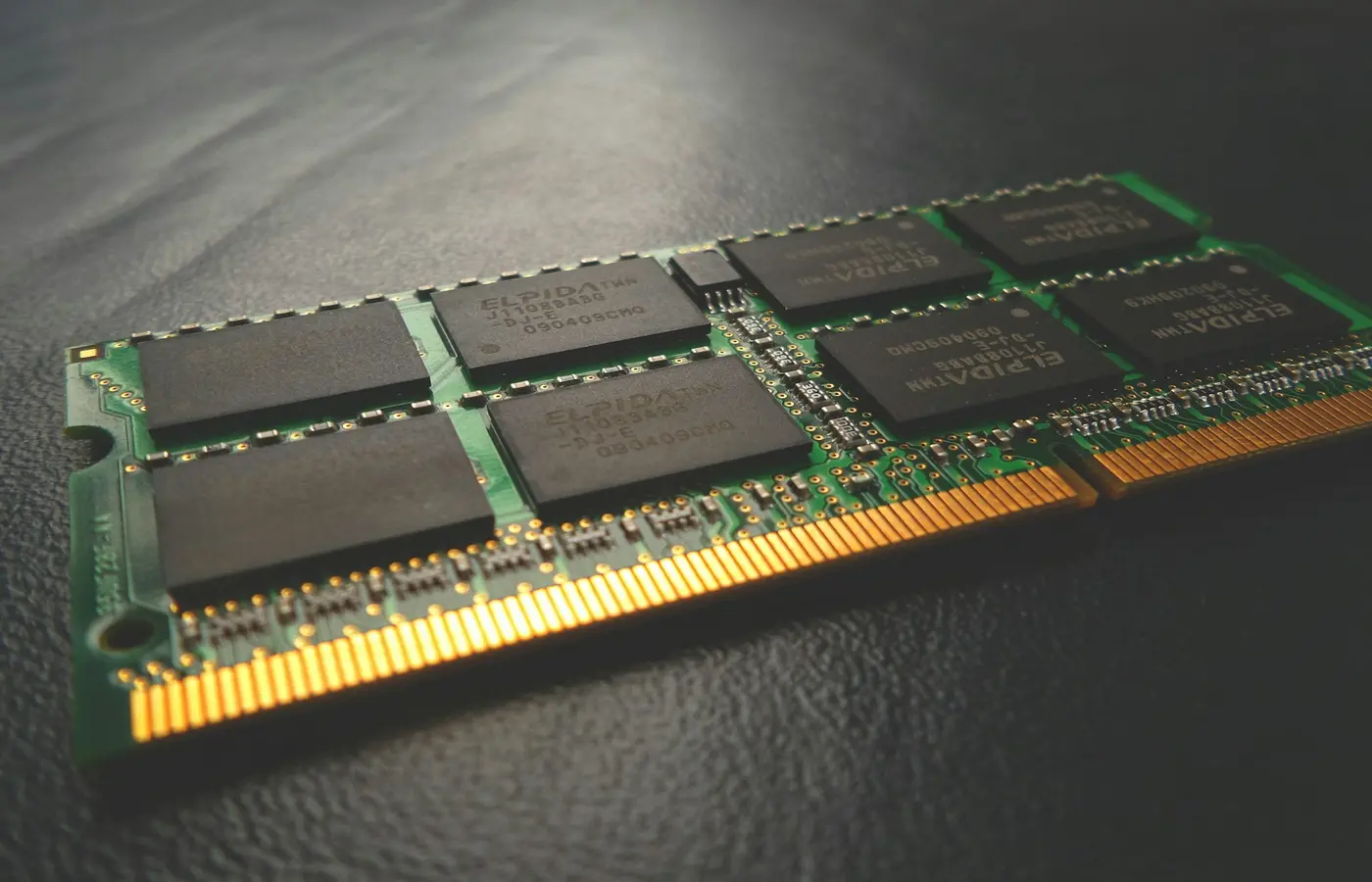
A socketed laptop uses removable modules. In many laptops these are SO-DIMMs, which are physically different from full-size desktop DIMMs. Dell cautions that system boards support a specific memory generation, such as DDR4 or DDR5, rather than every type of memory module. Check the manufacturer documentation before buying memory rather than selecting a module only by capacity.
A socketed design may have one or two slots. Both may already be occupied. That difference affects both upgrade cost and the upgrade route.
Hybrid memory
Hybrid designs are easy to misunderstand. For example, a laptop may ship with a fixed amount of onboard memory and one removable module or open slot. That can be useful, but it is not equivalent to a fully socketed machine.
Before buying, establish four facts:
- How much memory is permanently soldered?
- How many removable slots exist?
- Is the slot empty or already occupied in the SKU you are considering?
- What total capacity does the manufacturer document for that configuration?
An empty slot is an upgrade opportunity. A populated slot may still be upgradeable, but it could require replacing the existing module instead of simply adding one.
How to verify the exact SKU—not just the laptop family name
Laptop families often contain multiple screen sizes, processor options, regional variants, and configurable-to-order versions. Memory layout can differ among them. A retailer may also describe a broad family while selling one particular configuration.
Use this pre-purchase workflow.
1. Record the complete configuration
Capture the manufacturer part number, model number, region, processor, display option, and installed RAM capacity. If you are configuring a laptop directly from the manufacturer, save the order summary before placing the order.
This matters because “Model X” may not be enough to locate the correct documentation. A 14-inch and 16-inch version, or two processor variants sold under a similar name, can have different boards and memory arrangements.
2. Find the manufacturer’s specifications page
Look for the memory section and record its exact wording. Useful terms include:
- Onboard or integrated memory
- Soldered memory
- SO-DIMM slot
- Memory expansion slot
- Number of memory slots
- Maximum memory
- DDR4, DDR5, LPDDR4x, or LPDDR5x
Treat a retailer listing as provisional. It can help identify the configuration, but it should not override the manufacturer’s technical specifications or service documentation.
3. Find the service manual or maintenance guide
The product manual often provides the most practical answer. Search within it for “memory,” “RAM,” “SO-DIMM,” “removal,” “replacement,” or “system board.” A parts diagram can show whether memory modules exist and whether the manufacturer documents a replacement procedure.
If there is no memory-removal section, do not infer that an upgrade is impossible—but do not assume it is supported either. Ask the manufacturer or seller for documentation tied to the exact part number.
4. Reconcile configured-to-order differences
Customized laptops can differ from a standard marketing specification. Sony advises owners comparing installed memory with published specifications to account for customized configurations and, where applicable, consult the bill of materials or purchase documentation. Its guidance also points buyers to the relevant model support page and manuals. Sony’s memory configuration article is a useful example of why the shipped configuration and broad model-page specifications may not always match exactly.
For a configurable order, keep the final order confirmation. It may be the clearest record of what was selected.
What “maximum RAM” really means for an upgrade
A stated maximum capacity is only the start of the investigation. Before planning an upgrade, confirm the whole memory arrangement.
| Check | Why it matters |
|---|---|
| Memory generation | DDR4 and DDR5 modules are not interchangeable. |
| Physical format | Laptop SO-DIMMs are different from desktop DIMMs. |
| Slot count | One slot and two slots create different upgrade choices. |
| Current slot use | An empty slot may allow an addition; occupied slots may require replacement. |
| Soldered amount | Fixed memory remains part of the final total in a hybrid design. |
| Documented total capacity | The laptop maker’s stated support should guide the purchase. |
| Installation instructions | The manual can identify access requirements, tools, and precautions. |
Do not turn an advertised “up to” figure into a guaranteed upgrade plan without checking the matching documentation. It may apply only to another configuration, require replacing both modules, or depend on a particular memory type.
Similarly, do not assume that a faster-rated module will operate at its label speed. The laptop platform determines supported memory operation. The relevant decision is compatibility with the exact system, not the most ambitious specification printed on a memory package.
Capacity planning: buy for the workload and useful life
There is no universal RAM capacity that is right for every buyer. Operating systems, browser habits, and professional applications can have very different needs. Check the current official system requirements for the software you depend on, then add reasonable headroom for concurrent use and future updates.
A practical planning approach is to divide your needs by workload.
Light everyday work
Email, web browsing, office documents, streaming, and occasional photo handling may be well served by a modest configuration if you keep your workload light. But a fixed-memory laptop leaves little room for changing habits, more browser tabs, larger files, or new software over time.
General work, study, and multitasking
Buyers who routinely keep many browser tabs, office applications, communication tools, PDFs, and background utilities open should avoid treating the minimum advertised configuration as a long-term target. If the memory is soldered, select a capacity that remains comfortable when these tasks overlap.
Creative, technical, and development workloads
Photo catalogs, video projects, code editors, local containers, virtual machines, engineering tools, and large datasets can create much higher memory demand. Start with the official requirements for your essential applications, then decide whether a fixed-memory configuration leaves enough margin for the work you expect to do later.
For these workloads, upgradeable memory has clear value when the laptop’s documentation supports the upgrade. But a higher-capacity soldered configuration may still be safer than a low-capacity upgradeable one if the upgrade path is uncertain, inaccessible, expensive, or capped too low.
Service access, warranty terms, and when to stop
Upgradeable does not necessarily mean easy to service. Some laptops require removing the bottom cover, disconnecting the battery, or working around delicate cables. Others may use screws, clips, or parts that are not intended for casual servicing.
Before opening a laptop, verify all of the following in the official documentation for your exact model:
- A memory installation or removal procedure exists.
- The required module type and capacity limits are documented.
- The tools and safety precautions are listed.
- The battery-disconnection procedure, if required, is clear.
- Your regional warranty and service terms do not create a concern you have not accepted.
Do not rely on a blanket claim that opening a laptop always voids its warranty. Terms vary by manufacturer and region. Read the warranty language that applies where you buy the laptop, and use the manufacturer’s support channel if the policy is unclear.
Stop and use authorized service or a qualified repair professional if the manual does not document the procedure, the configuration cannot be identified confidently, the memory is integrated, the case resists normal documented opening steps, or you encounter battery damage, swelling, stripped fasteners, or unclear internal connectors.
Opening a laptop cannot create an upgrade path where the RAM is soldered to the board.
The better choice depends on what you can verify
Choose more soldered RAM when the fixed configuration comfortably covers your expected workload and planned ownership period. That is often preferable to buying too little memory based on an assumed future upgrade.
Choose a laptop with removable RAM when you value expansion or service flexibility and can confirm the exact SKU’s slot layout, supported memory type, documented capacity, and access procedure.
The important distinction is not “soldered equals bad” or “upgradeable equals better.” It is whether the memory design supports the way you will use—and keep—the specific laptop you are buying.
Frequently asked questions
Can you upgrade RAM in a laptop with soldered memory?
Not by installing a conventional memory module into the soldered portion. A laptop with fully integrated memory has no module-based RAM upgrade path. A hybrid design may include soldered memory plus a separate removable slot, so check the exact SKU’s specifications and service manual before deciding.
How can I tell whether a laptop has an empty RAM slot before buying it?
Find the exact manufacturer part number, then check the official specifications and service manual for the number of slots and the installed memory arrangement. Look for wording that distinguishes onboard memory from SO-DIMM slots. If the documents do not clearly state whether a slot is empty, ask the manufacturer or retailer to confirm the shipped configuration in writing.
Does a laptop with one soldered memory bank and one SO-DIMM slot support upgrades?
Usually, the removable SO-DIMM portion may be upgradeable, but the soldered portion is fixed. Confirm the module type, slot status, and manufacturer-documented maximum total capacity for that exact configuration. Do not assume that every laptop with one visible slot accepts every capacity of module.
Should I choose more soldered RAM or less RAM with an upgrade slot?
Choose the option that reliably meets your expected needs. More soldered RAM is often the safer choice when it provides enough headroom and the alternate upgrade path is undocumented or limited. Less RAM with a slot can be sensible when the exact model has clear support for an affordable, accessible upgrade you genuinely expect to perform.