How We Measure Laptop Thermals: Our Proposed Test Protocol
A transparent proposed laptop thermal protocol covering ambient conditions, sustained workloads, telemetry, surface temperatures, acoustics, repetitions, and raw data.
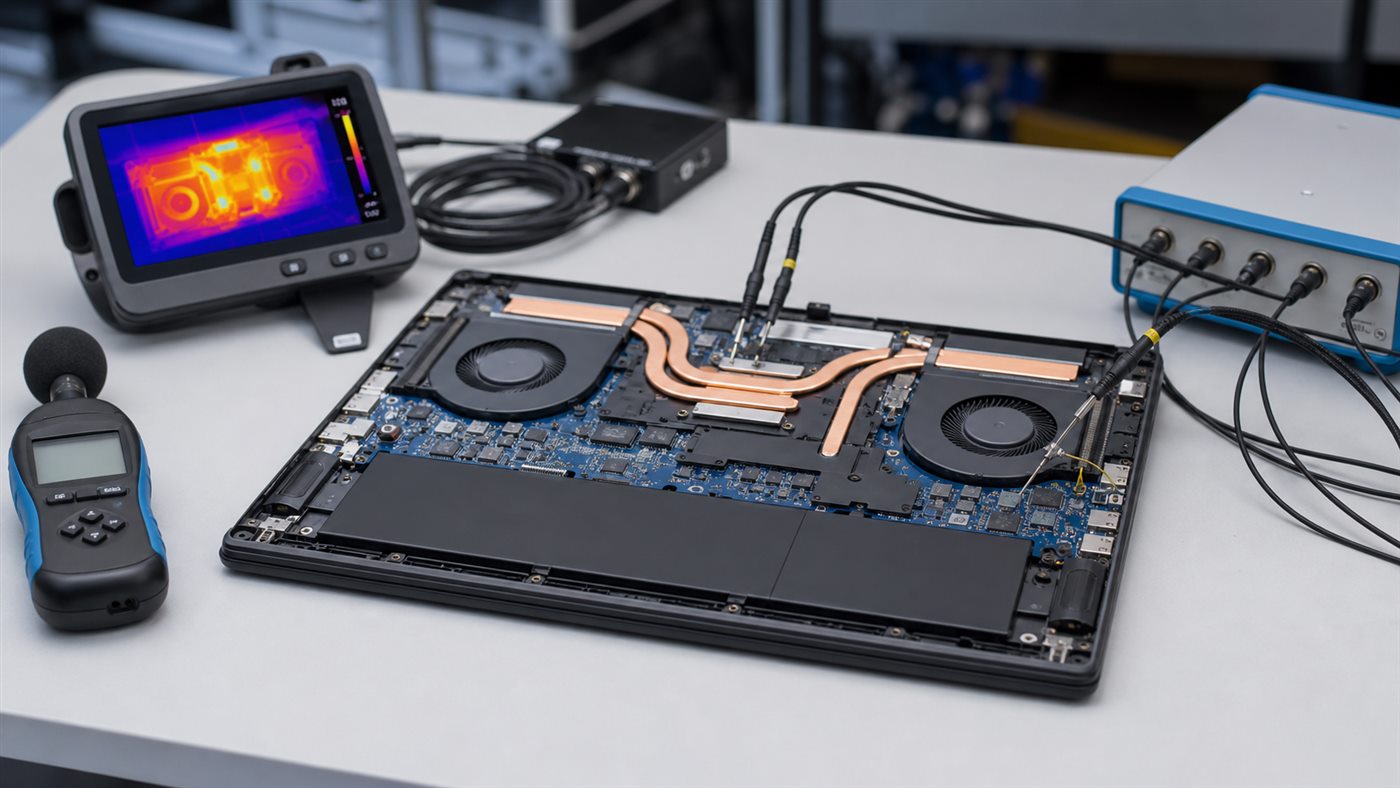
Status disclosure: this is a proposed, repeatable methodology—not evidence that Laptop Advices has completed the tests. The repository contains no raw thermal dataset for the current reviews, so those reviews must not say “we measured,” publish invented temperatures, or convert outside testing into our own result.
What a defensible thermal test must answer
A cooler component is not automatically a better laptop. It may be running at lower power and delivering less performance. A complete result must record workload output, component power/telemetry, surface comfort, fan noise, ambient temperature, and the selected performance mode together.
Proposed controlled setup
| Variable | Required record |
|---|---|
| Exact system | Model, CPU/GPU, RAM, SSD, display, firmware, drivers |
| Environment | Ambient temperature, background noise, desk surface |
| Power | AC adapter, battery state, OS/vendor performance mode |
| Workload | Application, version, settings, duration, output score/work |
| Telemetry | CPU/GPU temperature, power, clocks, throttling flags |
| Surface | Sensor/tool, fixed measurement points, time |
| Acoustics | Meter, distance, angle, room noise floor |
Before testing, update only to documented stable software, allow the system to reach an idle baseline, and record every automatic mode. Do not compare “Performance” on one laptop with “Quiet” on another without saying so.
Proposed procedure
- Photograph and record the configuration and test environment.
- Measure idle behavior after a fixed stabilization period.
- Run a repeatable CPU workload long enough to pass the short boost phase.
- Run a repeatable GPU workload and then a combined workload.
- Log telemetry continuously rather than copying a single peak.
- Measure keyboard, palm-rest, bottom, and exhaust surfaces at fixed marked points.
- Measure noise at a fixed distance/angle and disclose the room noise floor.
- Cool to baseline and repeat. Publish all valid runs, not only the preferred one.
Results should include medians or ranges where appropriate, run-to-run variation, and any anomaly or discarded run with its reason. Raw logs, scripts, application versions, and photographs should be stored alongside the publication.
How readers should evaluate third-party thermal claims
Reject a number that lacks exact configuration, ambient temperature, mode, workload duration, and measurement position. Compare sustained output beside temperature: 80°C at much lower power may not be superior to 90°C at substantially higher sustained work. Treat chassis surface readings separately from internal telemetry.
This framework supports the loud fan troubleshooting guide and the 1440p gaming laptop buying guide, but neither article claims we ran this protocol.
Publication gate
No Laptop Advices thermal result should appear until raw data, configuration identifiers, calibration/verification records, and test notes exist in the project. Until then, product articles may cite a clearly named independent tester and its conditions, or stay with manufacturer specifications and explicit limitations.
Conclusion
Thermal quality is the balance of sustained work, temperature, surface comfort, and acoustics under disclosed conditions. This protocol establishes what we intend to measure; it does not manufacture results.
Frequently asked questions
Why not compare peak CPU temperature alone?
Modern processors target thermal and power limits dynamically. Peak temperature without performance and power context can reverse the real conclusion.
How many runs are enough?
At least enough to reveal repeatability and outliers. The final protocol must state the run count and variation rather than use a universal magic number.
Are manufacturer performance modes comparable?
No. Names and tuning differ. Record each mode and compare equivalent noise/performance behavior where possible.